Best IPTV player in 2026: how to choose (and what to avoid)
There are hundreds of IPTV players. In screenshots they look alike — after a week of daily watching they feel completely different. This guide gives you a practical 10-point checklist, the best choice for every device, and the warning signs that tell you to move on.
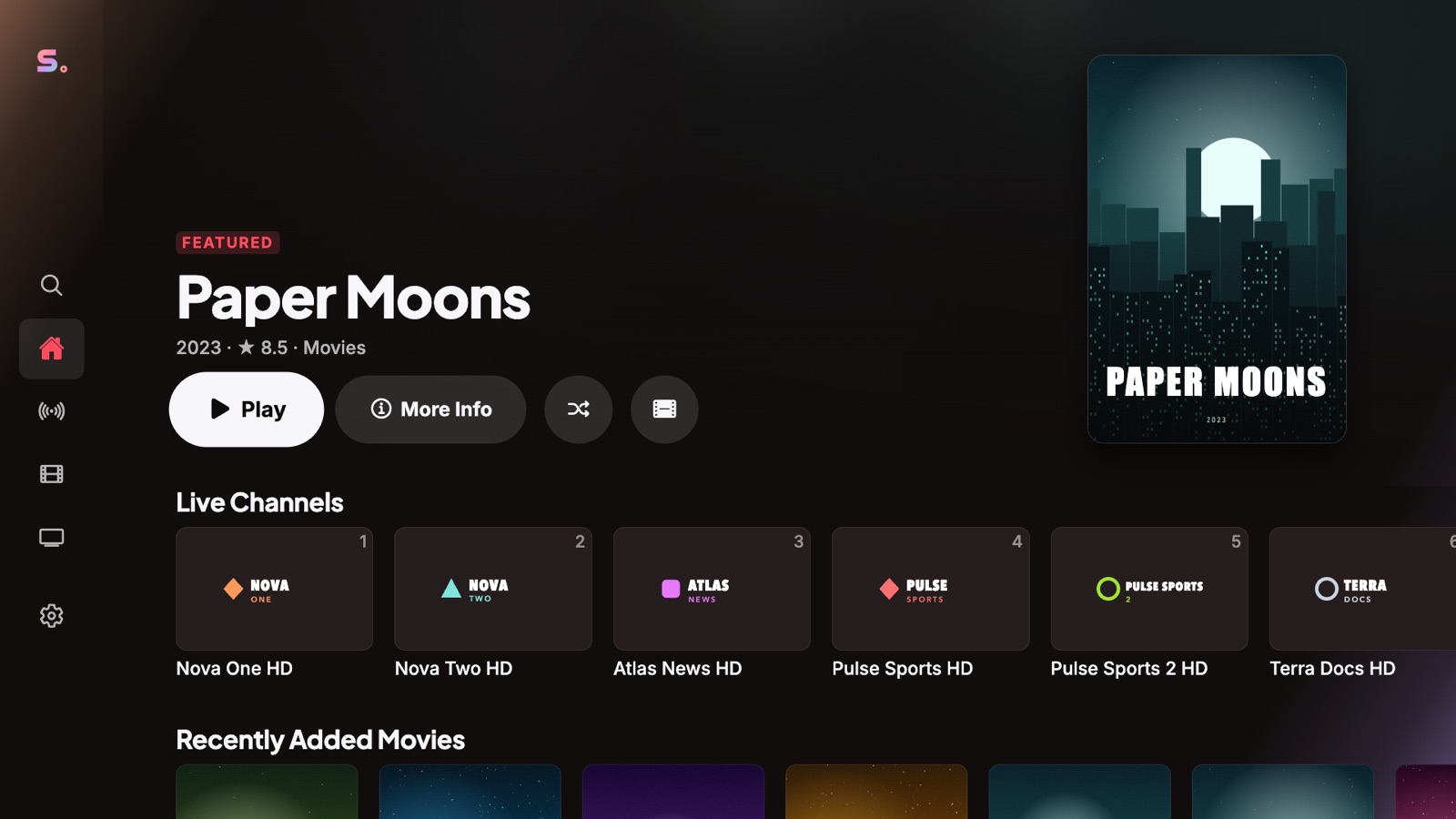
The short answer
The best IPTV player is the one that plays every format your provider sends (MKV, AVI, MPEG-TS, HLS), gives you a real TV guide, feels fast with a remote, works on all your screens and keeps your playlist password safe — without ads and without selling you content. If a player fails one of these, you will notice it every day.
Senum Play was built around exactly this list. It is free to start on iPhone, iPad, Apple TV, Mac and Windows, and you can try every Pro feature free for 3 days.
What an IPTV player does — and what it does not
An IPTV player is like a web browser for TV: it opens the playlist you already have — an M3U link or an Xtream Codes login (server, username, password) — and turns it into channels, a program guide, movies and series. It does not come with channels. The content and the rights to watch it come from your provider.
That is why the player matters so much: the same playlist can feel slow and broken in one app and smooth like television in another.
The 10-point checklist
- Every format and codec. Live TV arrives as MPEG-TS or HLS; movies mostly as MKV, MP4 or AVI, with AC3, E-AC3 or DTS sound. Many iPhone and Apple TV apps fail on MKV and AVI or play them without sound. A good player handles all of them.
- All audio tracks and subtitles. You should be able to switch the audio language and the subtitles (SRT, ASS) while you watch, and change the subtitle size.
- Live TV that feels like television. Fast channel switching, channel numbers, favourites and quick search. The remote should never feel lost.
- A real program guide (EPG). What is on now and next, a full grid, and catch-up or time-shift where your provider supports it.
- Proper Xtream Codes and M3U support. Categories, posters, seasons and episodes from Xtream Codes; automatic sorting of huge M3U lists; your account's expiry date shown clearly.
- Stability. When a stream drops, the player should reconnect on its own instead of showing an error. A bigger buffer helps on weak Wi-Fi.
- Respect for your connection limit. Opening extra connections can get your account blocked. The player should open one connection per stream.
- Your devices in sync. Start a series on the phone, continue on the TV — at the same second.
- Privacy and security. Your playlist password should be stored encrypted, and never sent to anyone else.
- Fair pricing and no ads. A free version you can actually use, and one purchase that covers all your devices.
The best IPTV player for each device
iPhone and iPad
Look for a player that opens MKV and AVI with sound, lets you switch audio and subtitles with a tap, and has a touch-friendly guide. Senum Play is a native iPhone and iPad app — see our iPhone IPTV player guide.
Apple TV
Apple TV is one of the best boxes for IPTV: fast, quiet and with a great remote. Choose a native tvOS app (not a mirrored phone app) with a real EPG and remote-first navigation. Read the Apple TV guide.
Mac
On Macs with Apple silicon, iPhone and iPad apps run natively. Senum Play appears in the Mac App Store under iPhone & iPad Apps — see the Mac guide.
Windows PC
Prefer a Microsoft Store app: no setup files, automatic updates and no bundled extras. Senum Play runs on Windows 10 and 11, x64 and Arm — see the Windows IPTV player guide.
Android TV, Google TV and Fire TV
Senum Play for Android, Android TV and Fire TV is coming to Google Play and the Amazon Appstore soon. Until then, an Apple TV or a Windows PC connected to your TV gives you the full experience.
Samsung and LG smart TVs
Built-in TV apps are often limited in formats and get few updates. Many people get a much better result by connecting a streaming box such as Apple TV.
Free or paid IPTV player?
A free player is the right way to start: add your playlist and see how it feels. Paid features start to matter when you watch every day on more than one screen — syncing your progress between devices, more than one playlist, more profiles for the family, and a bigger buffer for unstable connections. See our free IPTV player guide for what you get without paying.
Be careful with one thing: a free player is fine; free channels offered inside a player are usually not legal and can disappear any day.
Test any IPTV player in 10 minutes
- Add your playlist and time how long the first import takes.
- Switch through ten live channels with the remote. Is it instant? Does the guide show now and next?
- Open a movie in MKV. Change the audio language and turn on subtitles.
- Start a series episode, stop halfway, and reopen it. Does it resume at the right second?
- Turn Wi-Fi off for five seconds during a live channel. Does the player reconnect by itself?
- Open the same account on a second device. Do your favourites and progress follow you?
Red flags: when to choose another player
- It sells or bundles channels, or promises "free TV".
- It asks you to install files from unknown websites.
- It shows full-screen ads while you watch.
- It cannot play MKV or AVI, or plays them without sound.
- It has not been updated for months.
How Senum Play compares
| Checklist item | Senum Play |
|---|---|
| MKV, MP4, AVI, MPEG-TS, HLS | ✓ on every supported device |
| Audio tracks and SRT/ASS subtitles | ✓ switch while watching |
| EPG, catch-up, time-shift | ✓ where your provider supports it |
| Xtream Codes and M3U / M3U8 | ✓ with automatic sorting |
| Smart reconnect and larger buffer | ✓ (Pro) |
| One connection per stream | ✓ |
| Sync across devices | ✓ (Pro), passwords end-to-end encrypted |
| Profiles, kids mode, parental PIN | ✓ |
| Phone as a remote, Watch Party | ✓ |
| Ads | None |
| Price | Free; Pro $5.99/month, $49.99/year or $99.99 lifetime, 3-day free trial |
Questions
What is the best IPTV player for iPhone and Apple TV?
Choose a native app that plays MKV and AVI with sound, supports Xtream Codes and M3U, shows a real EPG and syncs between devices. Senum Play does all of this on iPhone, iPad, Apple TV and Mac, and is free to start.
What is the best IPTV player for Windows PC?
A Microsoft Store app that plays every format, supports a remote, keyboard and mouse, and updates automatically. Senum Play runs on Windows 10 and 11 (x64 and Arm).
Is there a good free IPTV player?
Yes. Senum Play is free with one playlist, two profiles, live TV, movies, series and the program guide — and it has no ads. Pro adds sync, unlimited playlists and more.
Is Senum Play an IPTV service?
No. Senum is an IPTV player only. It does not sell, include or recommend any channels. You add your own playlist from a provider you are legally subscribed to.
Why does my IPTV buffer in one player but not in another?
Players handle buffering and reconnection very differently. A larger buffer and automatic reconnect make a big difference on Wi-Fi. See our buffering guide.
Can I use the same playlist on several devices?
Yes, as many as your provider's connection limit allows. Senum opens a single connection per stream, so it does not use extra connections.
Senum is a player only. It does not sell, include or link to any channels, movies or series. Use it only with playlists from a provider you are legally subscribed to.